How to clone and push the code from vs code editor to repository( git-lab,git-hub,bit-bucket) 1 Comment Bit-Bucket, Git-hub, Git-Lab Edit Environment setup : 1. Install the git from https://git-scm.com/downloads. 2. Then install the vs code editor from https://code.visual...
How to change files,commit and push into git repository using Eclipse 2 Comments Bit-Bucket, Git-hub, Git-Lab Edit 1. First, go to your project in net-beans then Change the file here I am adding the <h3>quickdevops</h3> 2. Then the commit ...
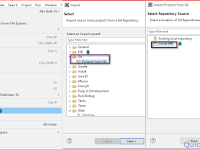
How to clone git-hub project in Eclipse 3 Comments Bit-Bucket, Git-hub, Git-Lab Edit Introduction : Clone the project means to download the project into your system. It is two ways to download first one is through command ...
How to push your project into git-hub repository 5 Comments Bit-Bucket, Git-hub, Git-Lab Edit 1.How to push your project into the git-hub repository 2. After completing the project first initialize the project locally to follow be...
How to change files,commit and push into git-hub using Net-Beans IDE 3 Comments Bit-Bucket, Git-hub, Git-Lab Edit 1. First go to your project in net-beans then Change the file here I am adding the <h3>Welcome to quickdevops.com</h3> 2.The...
How to clone the git project into Net-Beans IDE Add Comment Bit-Bucket, Git-hub, Git-Lab Edit First Go to your git-hub repository copy the URL of your project . Open net-beans then Go to Team click on it then click on the clone....